Efficiently recovers and repairs corrupted file systems and partitions on Windows
Efficiently recovers and repairs corrupted file systems and partitions on Windows
Vote (4 votes)
Program license Trial version
Developer SoftAmbulance data recovery
Version 4.48
Works under Windows
Vote
(4 votes)
Developer
SoftAmbulance data recovery
Works under
Windows
Program license
Trial version
Version
4.48
Pros
- Supports recovery from various file systems (NTFS, FAT, MFT, MBR)
- Step-by-step wizard for easy operation
- Recovers a wide variety of file types, including professional and multimedia formats
- Preview feature for Microsoft Office files
- Repairs critical disk structures beyond basic file recovery
Cons
- Demo version restricts saving of recovered files
- Advanced repair options may confuse novice users
- Effectiveness can vary depending on the extent of drive damage
A data recovery tool specializing in damaged partitions and drives.
Overview
Partition Doctor is a dedicated data recovery solution designed for users facing severe corruption on hard drives, lost partitions, or damaged file systems. The tool focuses on recovering files and repairing storage volumes, while providing a straightforward interface that allows users of all experience levels to attempt recovery operations without technical barriers.
Features
Partition Doctor’s primary function is to recover lost data from drives with corrupted or lost partitions, faulty file allocation tables, or damaged boot records. The application supports a wide array of file systems, including NTFS, FAT, MFT, and MBR, making it suitable for most modern Windows environments.
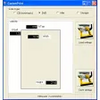
A step-by-step recovery wizard guides users through each stage of the process, from detecting failing drives to selecting files for recovery. The tool can reconstruct over 300 different file types, spanning documents, images, multimedia files, and professional formats like AutoCAD and 3D Studio Max. Users can preview recovered Microsoft Office documents before saving them, which enables better decision-making about which files to recover.
The application not only restores data but can also attempt repairs of critical disk structures such as partitions, file allocation tables, or master boot records. These functions can help make previously inaccessible drives readable again, further increasing the chances of successful file recovery. Advanced scanning routines allow deep examination of storage media, targeting even badly fragmented or partially overwritten data.
Performance
Partition Doctor performs scanning and recovery tasks efficiently. The wizard-based approach ensures that even less experienced users can undertake complex recovery procedures. Scanning times depend on the size and health of the target device, but the application is relatively quick on modern hardware.
Recovered files often retain their original structure and integrity, especially when damage is not extensive. In cases of severe corruption, file recovery rates can vary, but Partition Doctor attempts to salvage as much data as possible.
Ease of Use
The interface is clean and functional, with clear prompts throughout the recovery process. The use of a guided wizard significantly lowers the difficulty for beginners, while still offering advanced options for experienced users. Documentation and on-screen tips assist with understanding technical jargon and procedures.
Limitations
The demo version limits file saving and provides only previews for Microsoft Office files, which may restrict assessment of full recovery potential. Some advanced repair operations might require familiarity with partition structures, although most functions are accessible to average users.
Conclusion
Partition Doctor provides a comprehensive suite for recovering and repairing partitions and files from damaged drives. Its blend of powerful features and approachable design makes it a practical option for individuals and professionals facing data loss from disk failure or file system corruption.
Pros
- Supports recovery from various file systems (NTFS, FAT, MFT, MBR)
- Step-by-step wizard for easy operation
- Recovers a wide variety of file types, including professional and multimedia formats
- Preview feature for Microsoft Office files
- Repairs critical disk structures beyond basic file recovery
Cons
- Demo version restricts saving of recovered files
- Advanced repair options may confuse novice users
- Effectiveness can vary depending on the extent of drive damage